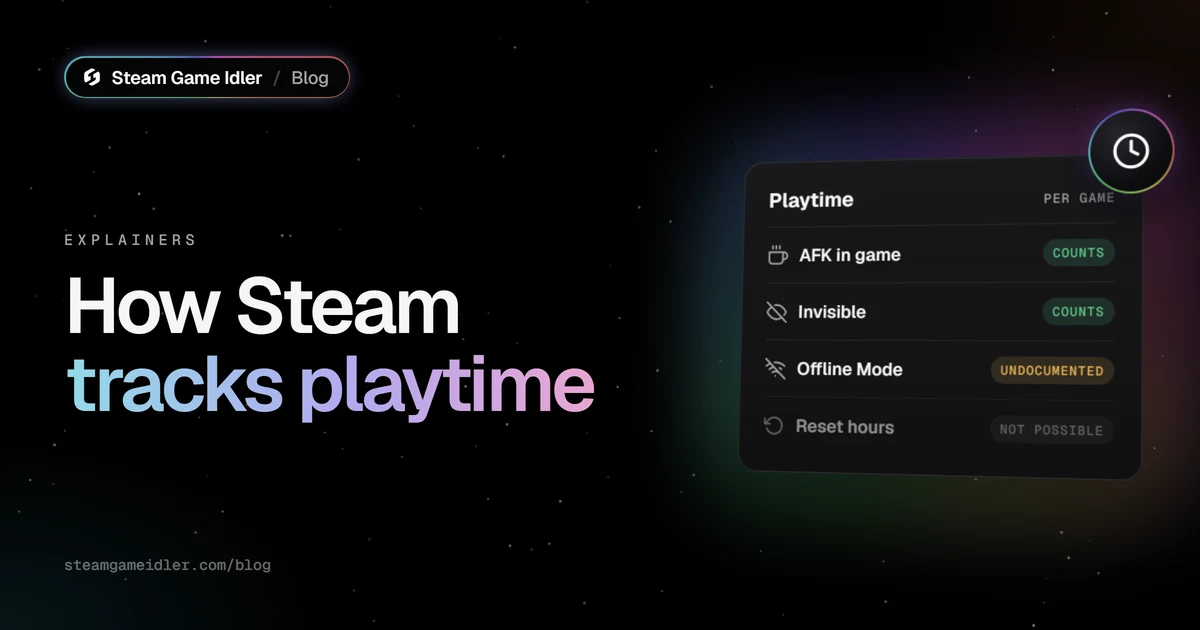
Steam tracks playtime by counting how long it's told a game is running on your account. It doesn't check whether you're actually playing, so time spent AFK, in menus or with the game minimized all counts, and so does time spent Invisible. Offline Mode is the one gray area: Valve doesn't document what happens to that time. You can't reset or delete playtime, but you can hide it from other people.
How does Steam track playtime?
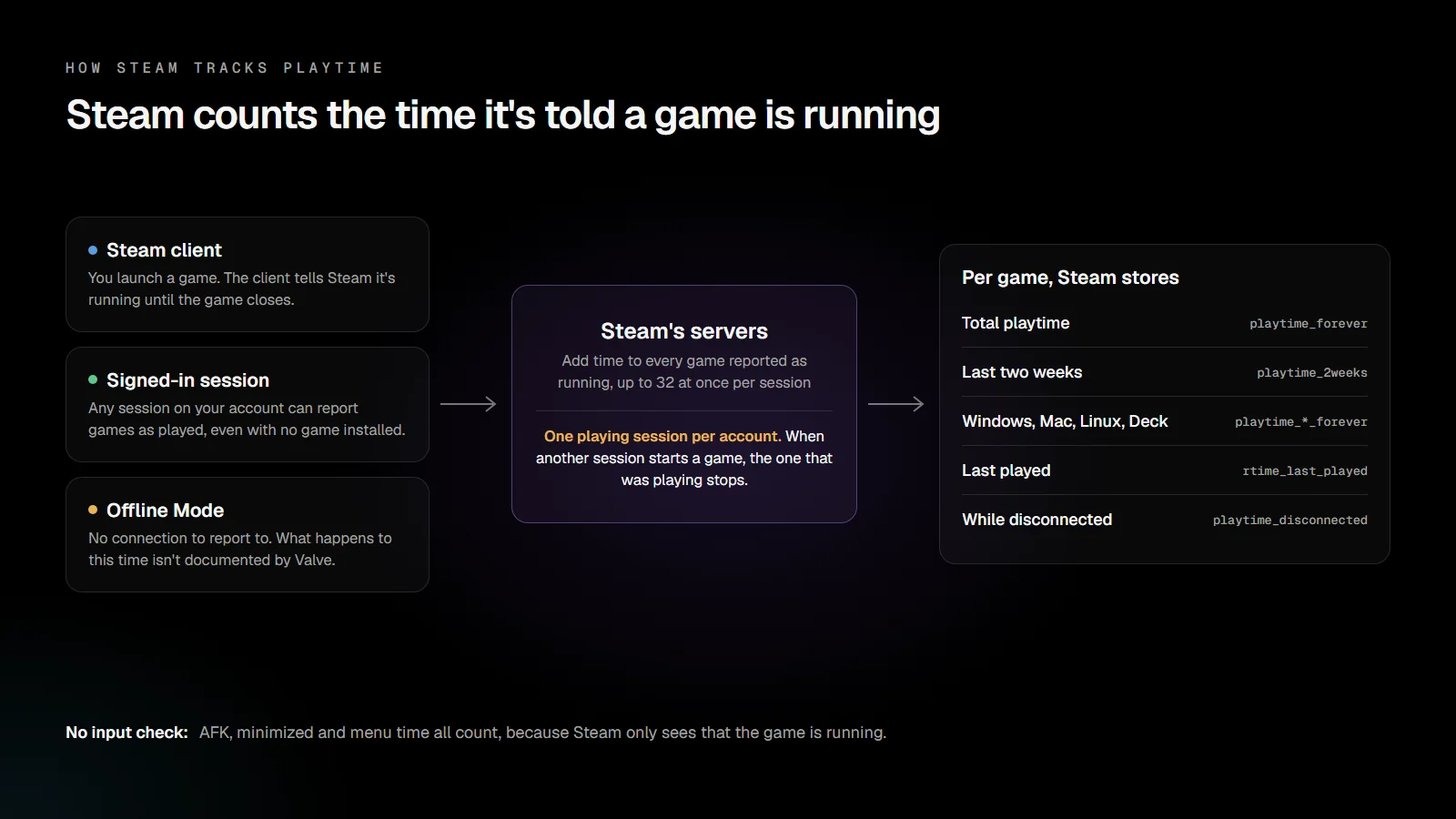
Steam's servers add time to a game for as long as a session on your account reports that game as running. When you launch a game, the Steam client reports it until the game closes. Nothing else is measured: not your input, not whether the window is focused, not whether anything is happening on screen.
We know the servers do the counting because a signed-in session can report a game without running it at all. Steam Game Idler's Steam Sign-in mode sends Steam a single "games played" message listing the games to idle. There's no game process and no install, and the hours still go up on the account. Steam accepts up to 32 games in one of these messages, and each one gets time added.
For every game you own, Steam keeps several counters. Steam's client data definitions, archived by the SteamTracking project, list them by name:
| Counter | What it holds |
|---|---|
playtime_forever | Your total playtime, the number shown on your profile and in your library |
playtime_2weeks | Time played in the last two weeks |
playtime_windows_forever, _mac_, _linux_, _deck_ | Separate totals per platform, including Steam Deck |
rtime_last_played | When you last played |
playtime_disconnected | A separate counter for time played while disconnected (Valve doesn't document how it's used) |
Steam's Web API reports these totals in minutes, which is why tools that read your library can show playtime to the minute.
One playing session per account
You can be signed in to Steam in several places at once, but only one session can be playing a game. If another session starts a game, the one that was already playing stops being counted. This is why idling on one account pauses when you launch a game on your own PC: Steam gives the "playing" slot to the session that just started a game.
What counts as playtime on Steam?
Anything that keeps a game reported as running counts. The table covers the common questions.
| Situation | Counts? | Why |
|---|---|---|
| AFK in a game, sitting in a menu or paused | Yes | The game is still running |
| Game minimized or in the background | Yes | Focus doesn't matter |
| Friends status set to Invisible | Yes | It only hides your status from friends |
| Friends status set to Offline | Yes | Different from Offline Mode: you're still connected |
| Several games running at once | Yes, for each game | Each reported game gets its own time |
| Steam's Offline Mode | Not documented | See below |
| PC asleep with a game open | Not documented | Reports conflict |
Invisible and Offline status
Invisible and Offline are friends-list statuses. Your Steam client is still signed in and still reports the game you're running, so the time counts. Friends just don't see you online or see what you're playing in real time. If your profile's game details are visible to them, your playtime still shows on your profile.
Steam's Offline Mode is a different thing. It's the Steam > Go Offline... option that lets you play with no connection to the Steam Network.
Offline Mode: what's documented and what isn't
Valve's Offline Mode FAQ says that "any Steam client feature that requires a connection will be unavailable while offline." It doesn't say anything about playtime. It does warn that Offline Mode depends on stored information, and that you should close Steam manually before shutting down your PC so that information isn't lost.
Steam's data does have a separate playtime_disconnected counter, which suggests Steam records
disconnected play somewhere. Valve doesn't explain what it holds, or whether that time is added to
the total on your profile. On Steam's community forums, players report both outcomes. Don't count
on Offline Mode time showing up on your profile.
Sleep mode
There's no official answer here either. When a PC sleeps, the game, the Steam client and the network connection are all suspended, and players report different results. If you want an accurate total, close the game before your PC goes to sleep.
Is Steam playtime accurate?
Steam playtime is an accurate count of how long a game ran, not of how long you actively played. The two drift apart whenever a game sits open while you're away: an evening left on the main menu adds an evening of playtime. Steam doesn't subtract idle time, and it can't tell a paused game from a busy one.
A few other things make the number look wrong:
- The last-two-weeks figure only covers 14 days, so it shrinks as old sessions fall out of the window even when you're playing.
- Per-platform totals are tracked separately from your overall total, so a figure for one device won't match the total on your profile.
- Offline sessions may be missing from your total (see above).
Can you reset or delete Steam playtime?
No. Steam has no setting that resets or deletes playtime for a game or for your account, and Valve doesn't document a way to request it. Playtime is stored with your account on Steam's servers, so uninstalling a game, reinstalling it or moving to a new PC doesn't change it.
What you can do is hide it.
How to hide your playtime on Steam
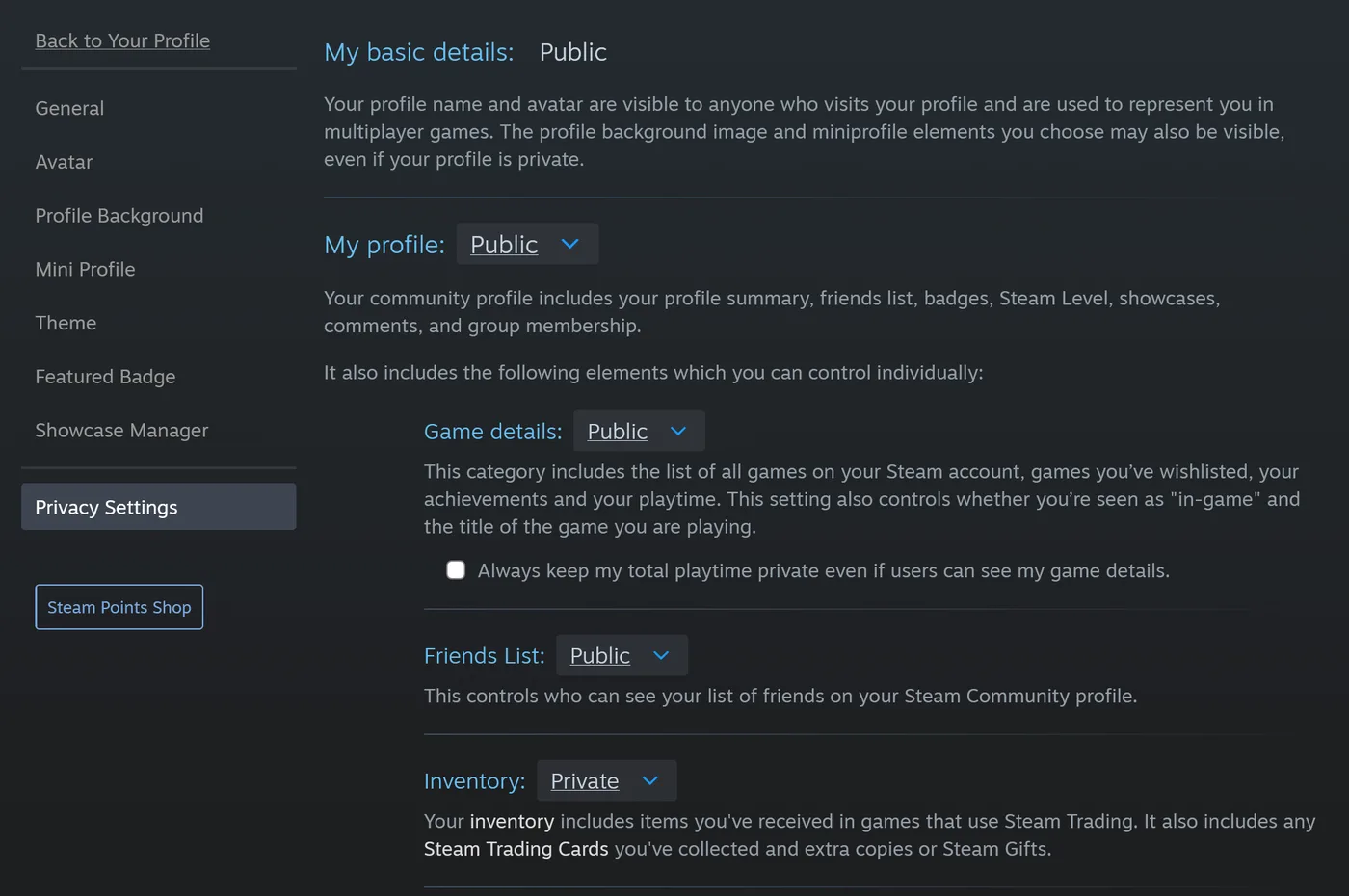
Steam has three privacy options that cover playtime. You'll find the first two in your profile's Edit Profile > Privacy Settings tab, as described in Steam Support's profile privacy FAQ.
- Keep total playtime private. Valve added this in its April 2018 privacy update: "regardless of which setting you choose for your profile's game details, you now have the option to keep your total game playtime private." The checkbox is labeled Always keep my total playtime private even if users can see my game details. Your games stay visible, the hours don't.
- Set Game details to Private or Friends Only. Valve's same update says game details include "the list of games you have purchased or wishlisted, along with achievements and playtime." Steam's settings page adds that it "also controls whether you're seen as 'in-game' and the title of the game you are playing."
- Mark a single game as private. Since December 2023, a private game hides "your ownership, in-game status, playtime, and activity in that game" from everyone else. Right-click the game in your library and open Manage. A private game doesn't drop trading cards while it's private, as we covered in how to hide Steam achievements.
Sites and tools that read your library through Steam's Web API generally see what the public sees, so setting game details to Private hides your games and playtime from them too.
Where your playtime matters
Playtime decides more than the number on your profile:
- Refunds. Steam's refund policy covers games requested within 14 days of purchase "if the title has been played for less than two hours." Early Access playtime counts against that limit, and so does any idle time.
- Steam Families. Parents in a Steam Family can "set playtime limits (hourly/daily)" and "view playtime reports" for child accounts, according to Valve's Steam Families announcement.
- Trading cards. Card drops come from playtime, and some accounts need a couple of hours on a game before the first card drops. Our card drop times guide explains the delays, and how Steam trading cards work covers the rest.
What this means for Steam Game Idler
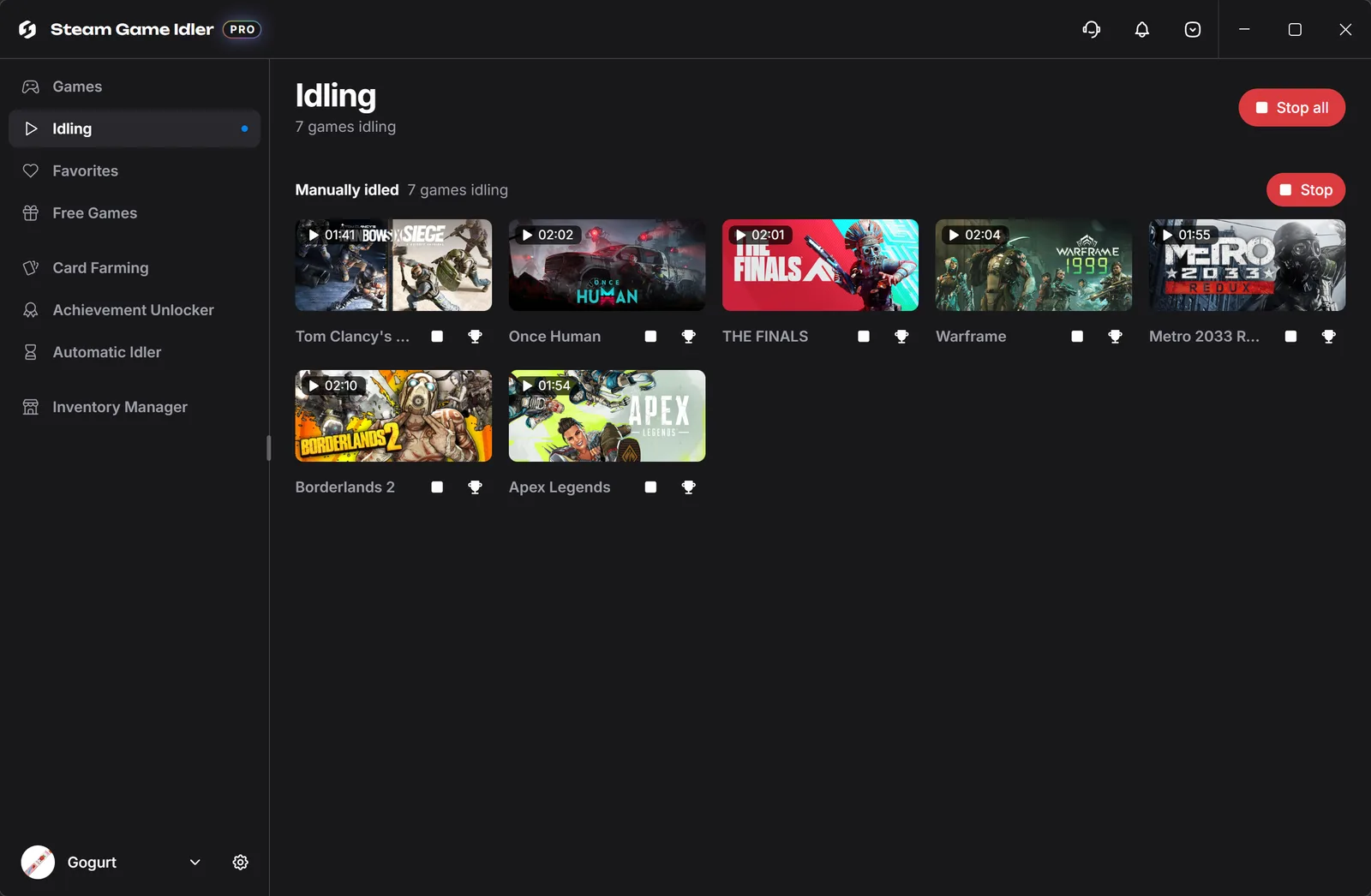
Steam Game Idler's Playtime Booster builds playtime by doing what this post describes: telling Steam a game is running. How it does that depends on how you sign in:
- Steam Sign-in reports the games straight to Steam's servers. The Steam client doesn't need to be running and the games don't need to be installed. Up to 32 games can idle at once.
- Local Sign-in (Windows) runs through your own Steam client, with one small background process per idling game.
Because only one session can be playing at a time, Steam Sign-in idling pauses when you start a game on your own Steam client, and resumes about a minute after Steam reports your game has closed. It never takes the slot back from your game. Steam Sign-in also lets you pick the online status friends see, including Invisible, without affecting the hours.
Two settings help if you want to control how much time builds up: Max playtime stops a game once its total playtime reaches a number of minutes you choose, and Max idle time stops it after it has idled for that long. Keep refunds in mind too: idled hours are real playtime, so idling a game you just bought can push it past the two-hour refund limit.
If your profile's game details are private, Steam Game Idler may not see your full playtime, because it reads the same Web API as other tools. Making game details public, or adding your own Steam Web API key in Settings, fixes that. Download Steam Game Idler to try the Playtime Booster.
FAQ
Does Steam count AFK time as playtime?
Yes. Steam counts the time a game is running, not the time you spend playing it. Sitting AFK in a game, leaving it paused or leaving it on the main menu all add playtime.
Does Steam count playtime in Invisible mode?
Yes. Invisible only changes what your friends see. Your Steam client is still connected and still reports the game you're running, so the hours count.
Does Steam count hours in Offline Mode?
Valve doesn't say. Its Offline Mode FAQ doesn't mention playtime, and players report different results. Steam's data has a separate counter for time played while disconnected, but Valve doesn't document whether it's added to your profile total.
Does Steam count playtime when your PC is asleep?
There's no official answer, and players report conflicting results. Close the game before your PC sleeps if you want an accurate total.
Can you reset your Steam hours?
No. Steam has no option to reset or delete playtime. You can hide it by keeping your total playtime private, setting your game details to Private, or marking a single game as private.
Why does my Steam playtime look wrong?
Usually because a game sat open while you weren't playing it. Steam counts running time, not active play. Offline Mode sessions may also be missing, and the last-two-weeks figure drops old sessions as they age past 14 days.
Does playtime count toward Steam refunds even if I was AFK?
Yes. The refund policy looks at playtime, and Steam doesn't separate active play from idle time. Steam's standard refund needs a request within 14 days of purchase and under two hours of playtime.
Sources
- Valve, New Profile Privacy Settings, April 11, 2018.
- Valve, Shopping Cart updates and Private Games, December 21, 2023.
- Valve, Introducing Steam Families, March 19, 2024.
- Steam Support, Offline Mode, accessed October 29, 2026.
- Steam Support, Steam Profile Privacy, accessed October 29, 2026.
- Steam, Steam Refunds, accessed October 29, 2026.
- SteamTracking, Protobufs: steammessages_player.steamclient.proto, accessed October 29, 2026.
- Playtime
- Trading Cards
Creator and maintainer of Steam Game Idler.