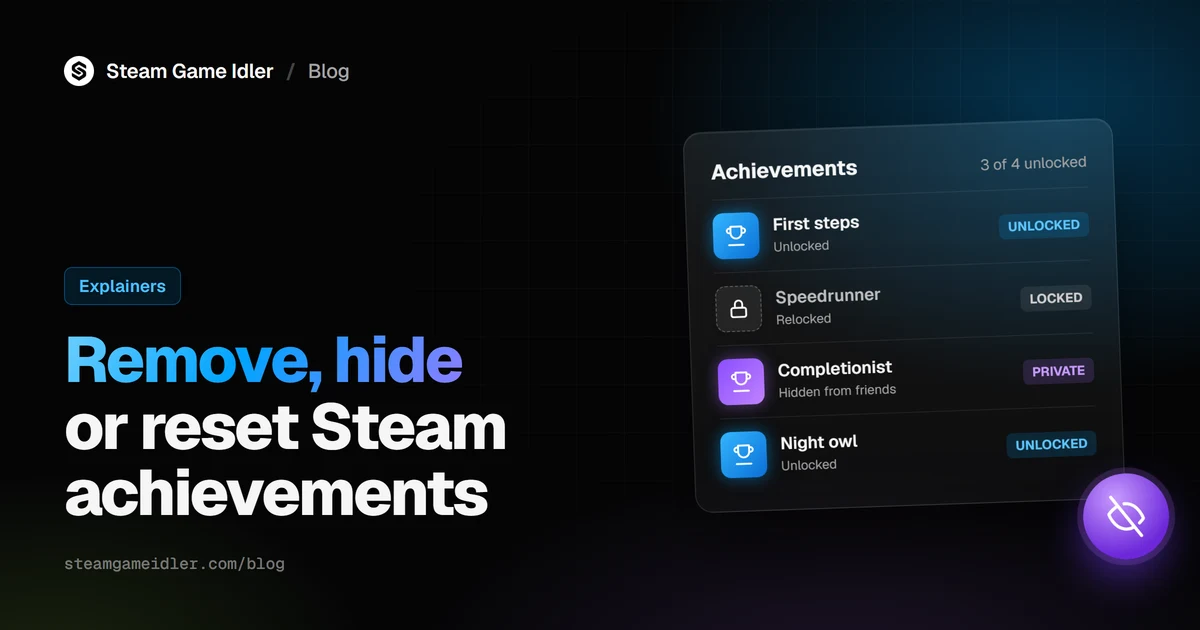
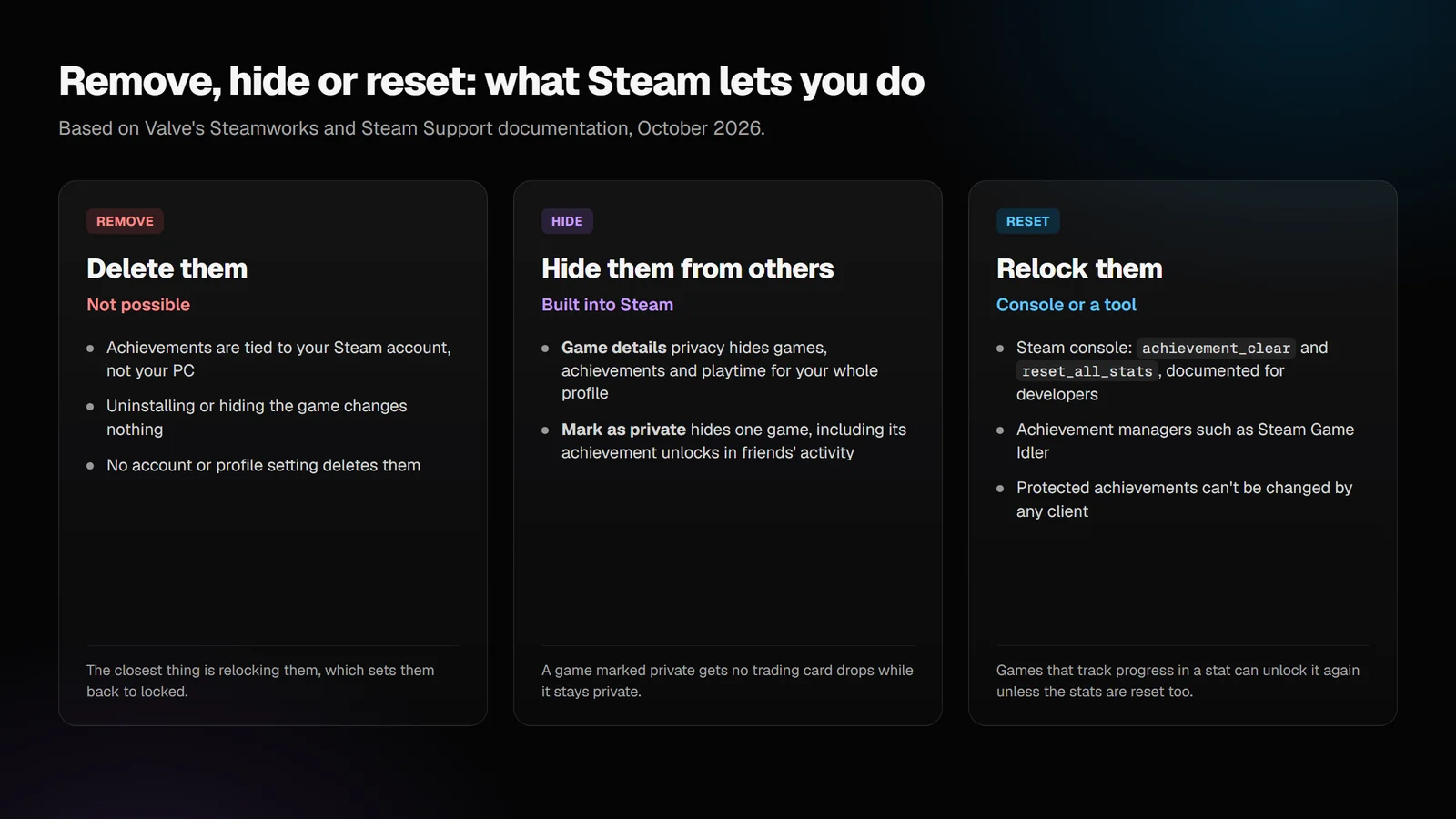
You can't delete Steam achievements. They're stored with your Steam account, and Steam has no setting that removes them. What you can do is hide them from other people with Steam's privacy settings, or relock them so they show as locked again. Relocking needs the Steam console or an achievement manager, and it doesn't work on every achievement.
Can you remove Steam achievements?
No. Steam has no way to delete an achievement from your account. Valve's Steamworks achievements documentation describes achievements as "persistent, roaming" data and says "the user's data is associated with their Steam account." That's why they follow you to every PC you sign in on, and why uninstalling a game leaves them untouched.
Valve doesn't document any account or profile setting that deletes achievements. The closest you can get is relocking them, which sets them back to locked on your account. They're then shown as locked, just as if you'd never earned them.
How to hide Steam achievements
Steam has two built-in ways to hide achievements from other people: one for your whole profile and one for a single game.
Hide every game's achievements
Your profile's Game details privacy setting covers your achievements. Valve's 2018 privacy update says game details "includes the list of games you have purchased or wishlisted, along with achievements and playtime."
To change it, open your Steam profile, click Edit Profile, open the Privacy Settings tab and set Game details to Private or Friends Only. Steam Support's profile privacy FAQ notes that changes save automatically.
Hide one game's achievements
Marking a game as private hides that one game, including its achievements, and leaves the rest of your profile alone. Valve added this in December 2023. According to Steam Support's Private Games FAQ, a private game looks "as if you did not own it at all" to other users:
- Your achievement unlocks in that game don't appear in your friends' Activity feeds.
- Profile showcases don't show the game or its achievements, including the Rarest Achievements showcase.
- The game disappears from your profile's games list and recently played games.
To mark a game private, right-click it in your Steam library and open Manage, or use the gear icon on its game page. You can also do it from your profile's games list in a web browser.
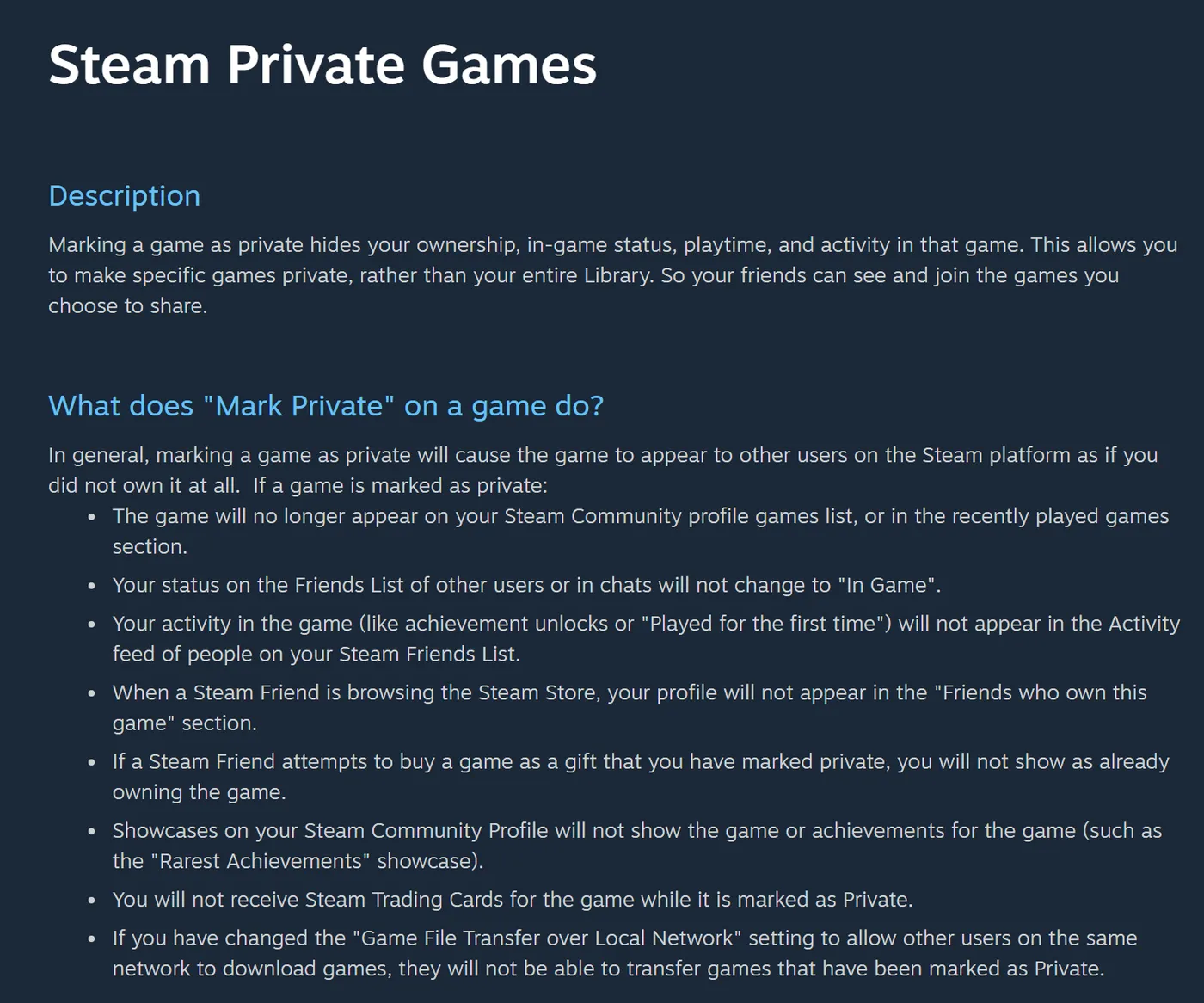
A game marked as private doesn't drop trading cards. Steam Support says "you will not receive Steam Trading Cards for the game while it is marked as Private." Unmark it before you farm its card drops.
Hiding a game in your library is different. The Hide this game option only hides the game from you, to tidy your library. Valve's FAQ calls private games "essentially the opposite": visible to you, hidden from everyone else.
Hidden achievements are a separate thing again. Some developers mark achievements as hidden so their names don't spoil the story. Steam keeps their details hidden until you unlock them, and since a June 2023 client update it warns you that revealing them "will reveal a spoiler." That's the game's setting, not yours.
How to reset or relock Steam achievements
Relocking sets an unlocked achievement back to locked. Steam supports it for developers testing their games, and players use the same tools on their own accounts.
The Steam console
Valve's Steamworks documentation lists two console commands "to clear an achievement or stats without adding code to your game":
achievement_clear <appid> <achievement name>relocks one achievement.reset_all_stats <appid>resets a game's statistics.
To use them, start Steam with the -console launch option, as Valve's docs describe, then type the
command into Steam's console with the game's app ID and the achievement's internal API name (not
its display name).
Valve documents these for developers, so expect to look up each achievement's API name yourself.
Achievement managers
An achievement manager does the same thing through a normal interface: you pick the game and click the achievements to lock. Steam Game Idler's Achievement Manager is one, and so is the older Steam Achievement Manager (SAM). Both work through the same Steam stats system that games use.
Two limits apply to every method
- Protected achievements can't be changed. Steamworks lets a developer make an achievement settable only by the game's servers, and "stats and achievements that are settable by game servers cannot be set by clients." No console command or tool can lock or unlock those. Our page on protected achievements explains how to spot them.
- Progress-based achievements can come back. Some achievements are tied to a statistic, such as games won or distance driven. If you clear only the achievement, the stat still says you qualify, and the achievement unlocks again. Relocking those reliably means resetting the game's statistics too, which wipes that progress for good.
The game itself can also unlock an achievement again. If a game remembers your progress in its own save file, it may award the achievement the next time you play.
What this means for Steam Game Idler
Steam Game Idler's Achievement Manager can lock any unprotected achievement, and it handles both limits above for you.
- Lock relocks a single achievement. You can also select several and apply the changes together.
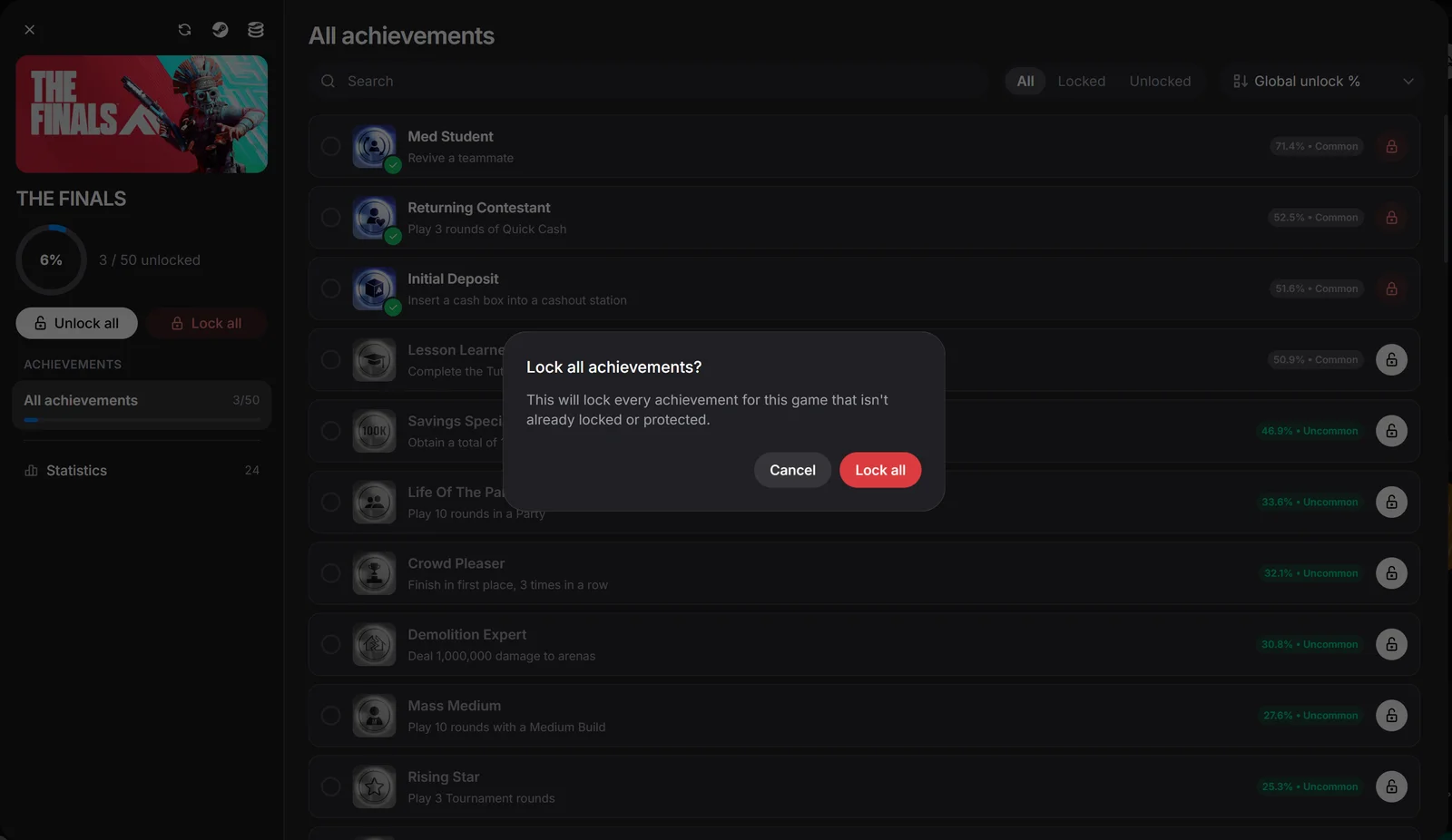
- Lock all relocks every achievement in a game. For a game with no protected achievements or statistics, it resets the game's stats along with its achievements, because that's the only way progress-based achievements stay locked. We confirmed in testing that clearing only the achievement was silently undone for a stat-backed achievement. If the game has anything protected, Lock all locks each achievement one by one instead and leaves the server-set values alone. A game with nothing unlocked is left untouched.
- Reset all resets every statistic for a game back to its default value. The confirmation warns that this "can't be undone."
- Protected achievements show a warning icon instead of lock and unlock buttons, so you can see what can't be changed before you start.
It works with both sign-in methods, including Steam Sign-in, which doesn't need the Steam client running. Locking and unlocking are free. If you're coming from SAM, our Steam Game Idler vs. Steam Achievement Manager comparison covers the differences. Download Steam Game Idler to relock achievements without the console.
FAQ
Can you delete achievements on Steam?
No. Achievements are stored with your Steam account, and Steam has no setting that deletes them. You can hide them with your privacy settings or relock them with the Steam console or an achievement manager.
Does uninstalling a game remove its achievements?
No. Valve says achievement data "is associated with their Steam account" and roams with it, so uninstalling, reinstalling or playing on another PC doesn't change it.
How do I hide my achievements on Steam?
Set Game details to Private in your profile's Privacy Settings to hide all of them, or mark a single game as private to hide only that game. A private game doesn't drop trading cards while it's private.
Can you reset achievements for just one game?
Yes, with the Steam console's achievement_clear command or an achievement manager. Achievements
tied to a progress stat may need the game's stats reset too, and protected achievements can't be
reset at all.
Why did my achievement unlock again after I relocked it?
Either the achievement follows a statistic that still meets its target, or the game unlocked it again from its own save data. Resetting the game's stats fixes the first case. For the second, the game's own save would need to be reset.
Can you relock protected achievements?
No. Protected achievements can only be set by the game's servers, and Steam rejects changes from any client, including the Steam console and achievement managers.
Sources
- Valve, Steamworks Documentation: Stats and Achievements, accessed October 20, 2026.
- Steam Support, Steam Private Games, accessed October 20, 2026.
- Steam Support, Steam Profile Privacy, accessed October 20, 2026.
- Valve, New Profile Privacy Settings, April 11, 2018.
- Valve, Shopping Cart updates and Private Games, December 21, 2023.
- Valve, Steam Client Update - June 21st, June 22, 2023.
- Achievements
Creator and maintainer of Steam Game Idler.